
Operator admin
on your own computer.
The admin (version 1.0.0) is the MIKODES Admin Kit 0.3.0 wired to this product. It runs on 127.0.0.1:8811, keeps its own SQLite database, and writes one public file: config/public.json. It is never deployed with the site.
01Roles and sign-in
| Role | Can do |
|---|---|
owner | Everything, including team, secrets, revealing a masked builder code (with a written reason of at least 8 characters, logged). |
manager | Change settings and decide pairs in the review queue. |
viewer | Read only. |
The first owner is created with the one-time setup code (how). Passwords need at least 12 characters. Security & alerts adds two-factor sign-in with recovery codes and session management.
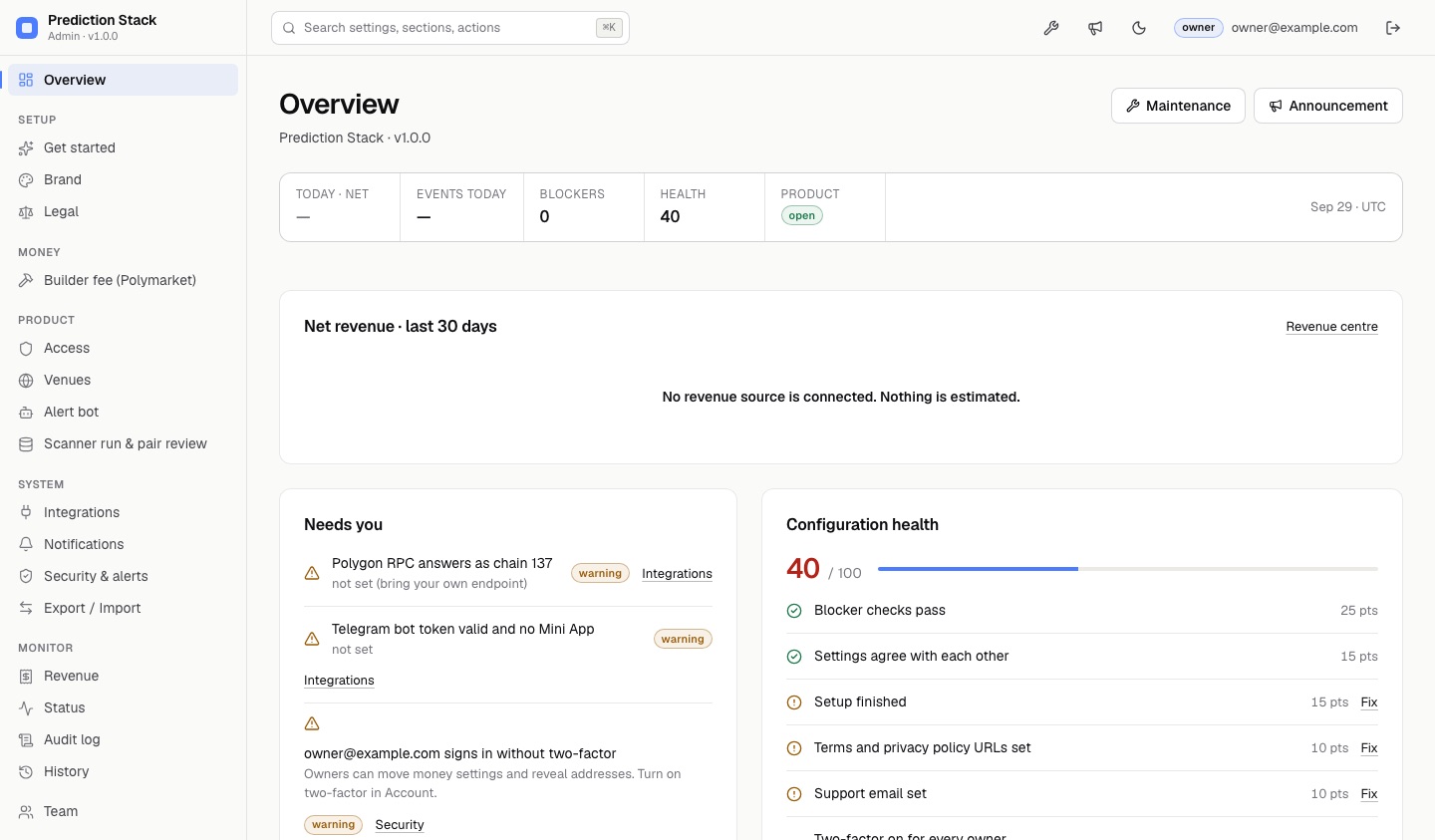
02Setup: Get started, Brand, Legal
- Get started: a checklist of what is still empty (product name, accent colour, support email).
- Brand: product name, tagline, accent colour, logo, support email, website. See Rebranding.
- Legal: terms URL, privacy URL, disclaimer. The Stack ships none of these texts; you write your own. An empty field shows nothing, never a placeholder link.
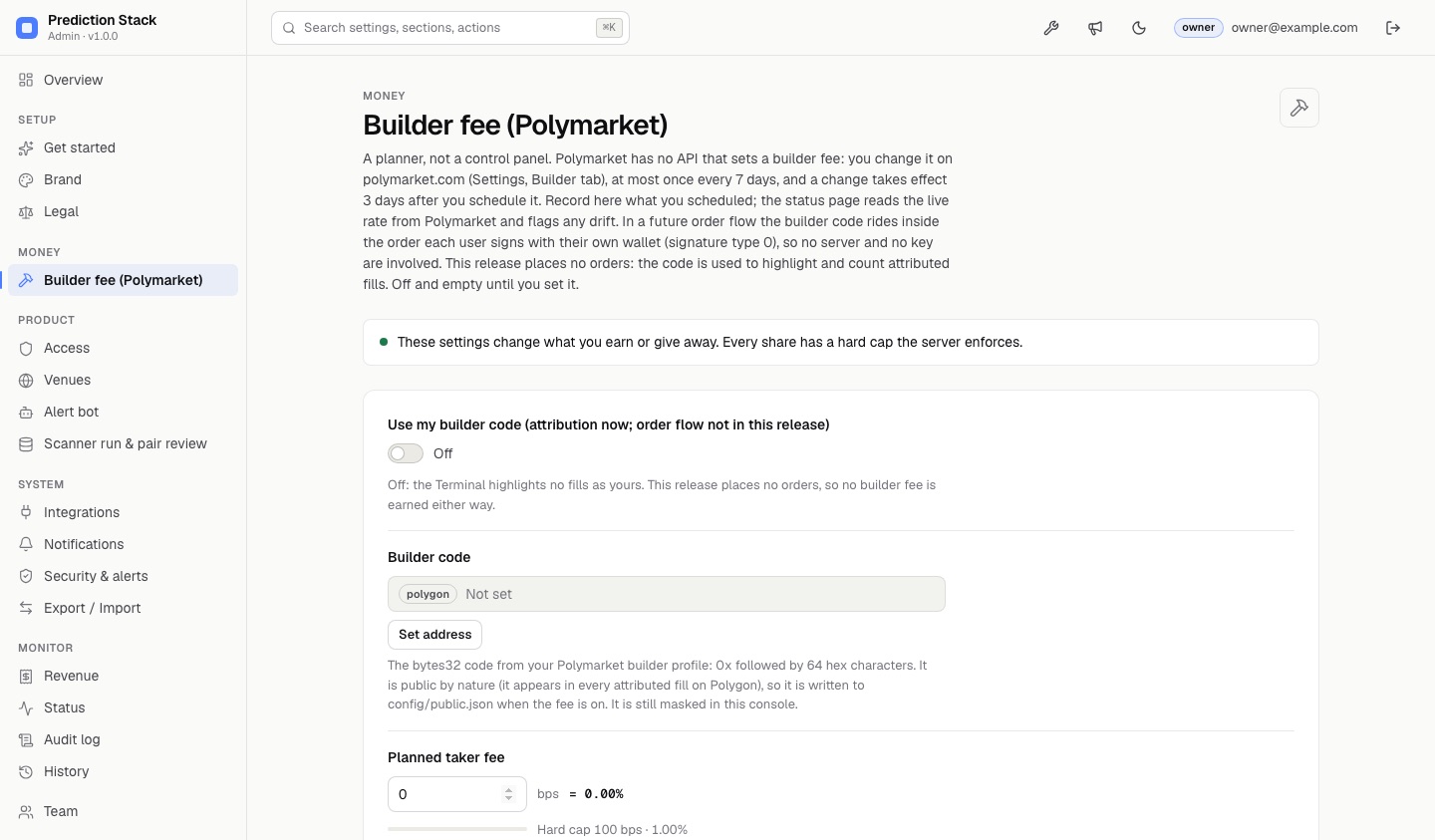
03Money: Builder fee (Polymarket)
A planner, not a control panel. Fields: the toggle "Use my builder code (attribution now; order flow not in this release)", builder code, planned taker fee (cap 100 bps), planned maker fee (cap 50 bps) and the UTC date you scheduled a change on Polymarket. The caps are enforced in the form and on the server. Everything ships off and empty. Full guide: Builder code.
Turned on with a valid code, it writes your code into config/public.json so the Terminal highlights fills that carry it and Status counts them. It attaches the code to no order, because the Terminal places none; the admin's help texts say the same ("This release places no orders"). The Terminal only displays fees read from the chain.
04Product: Access, Venues, Alert bot
| Section | Settings | Effect |
|---|---|---|
| Access | Maintenance mode, maintenance message, announcement banner | access.* in the public file. |
| Venues | Show Kalshi, show Polymarket, Polymarket CLOB host | Hides a venue's rows on the pages. The refresh job still fetches both; to stop fetching one, change the job. |
| Alert bot | Bot username, channel link, send rate, stale-alert limit | Username and channel become footer links. The rate settings are for a bot runtime that does not ship in this release. |
Blocked countries is left out on purpose: a static page does not know the visitor's country, so the field would block nothing. If you need to restrict access by location, do it at your host.
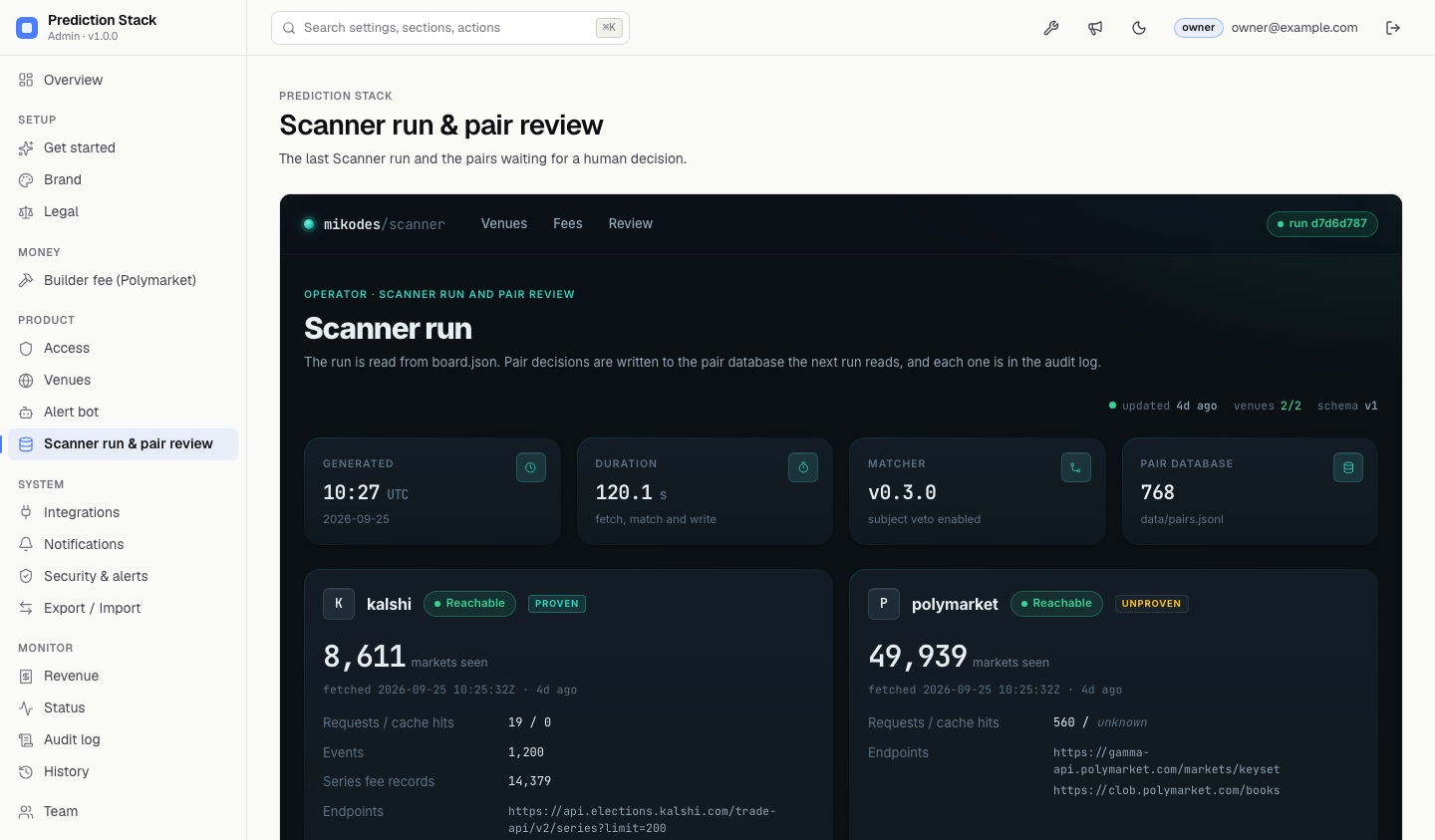
05Scanner run & pair review
The Scanner never treats two contracts as the same because a machine said so. A pair is priced as a cross-venue spread only after a person confirms it.
- Open Scanner run & pair reviewIt shows the last run from
board.jsonand the queue of machine-scored pairs, strongest first. - DecideRead both contracts' titles, outcomes and expiry. Choose Same contract or Not the same. Needs the manager or owner role.
- CommitThe decision is written into
scanner/data/pairs.jsonl(asadmin (owner)oradmin (manager); the audit log keeps who). Pull first, then commit and push: the refresh job also commits this file.
If a matched market's text, sources or expiry change later, or the matcher version changes, the pair is flagged for re-review.
06System: Integrations, Notifications, Security, Export
- Integrations: Polygon RPC URL and Telegram bot token. Write-only (stored encrypted with
ADMIN_SECRET_KEY, never shown again), owner only, each with a Test button. Used by the Status checks only, never written to the public file. The refresh job does not read this field: give the job its RPC as the GitHub secretPOLYGON_RPC_URL(how). - Notifications: webhook URL and signing secret for the Kit's alerts. There is no email delivery.
- Security & alerts: two-factor, sessions.
- Export / Import: move settings between installs.
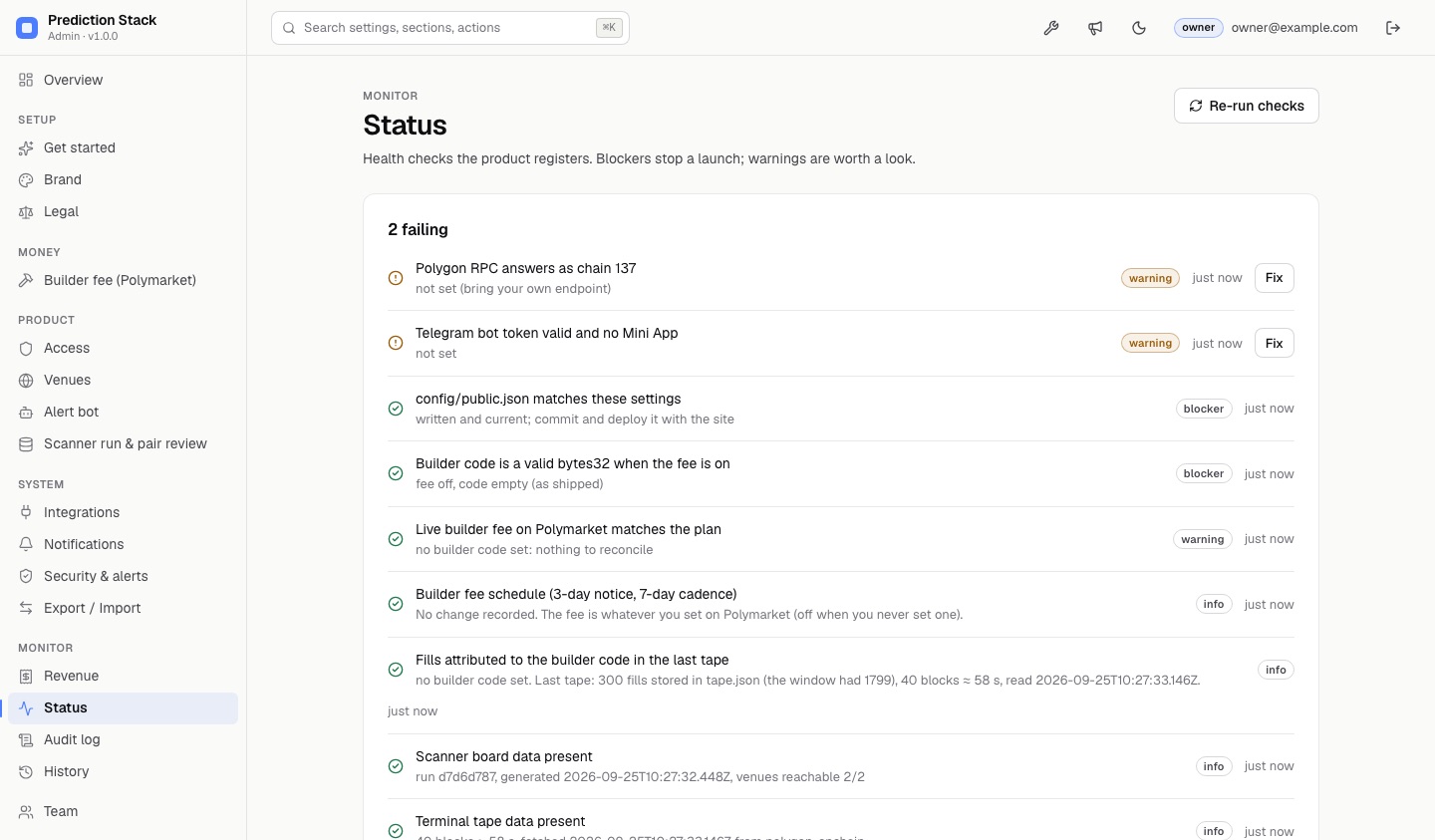
07Status checks
| Check | Severity | What it reads |
|---|---|---|
publicConfig | blocker | config/public.json equals what the saved settings produce. |
builderCode | blocker | A valid, non-zero bytes32 whenever the builder fee is on. |
feeSchedule | info | From your scheduled date: when it takes effect (3 days) and when the next change is allowed (7 days). |
feeLive | warning | The live rate from GET {clobHost}/fees/builder-fees/{code} compared with your plan. Calls Polymarket from your machine. |
attribution | info | Fills in the committed tape.json that carry your builder code. |
polygonRpc | warning | Your RPC URL answers eth_chainId with 137. |
telegramBot | warning | getMe works and the bot's menu button is not a Mini App. |
scannerBoard, terminalTape | info | The data files exist and when they were produced. |
08Monitor: Revenue, Audit log, History, Team
- Revenue shows "No revenue source is connected. Nothing is estimated." This is deliberate: builder payouts cannot be read from the chain (why).
- Audit log: who changed what, with before and after. Wallet-like values are masked.
- History: roll a setting back.
- Team: invite members with a role.
09Under the hood
admin/src/app.ts(createAdmin()) mounts the Kit and this product's own routes under/admin-product/: the Scanner run page, the pair database and pair decisions. Every product route needs a signed-in session; deciding a pair needs the manager or owner role and the Kit's CSRF header, and each decision is written to the audit log.admin/src/server.tsonly reads.env, opens the SQLite store and listens on loopback.- Storage in Admin Kit 0.3.0 is asynchronous. If you add your own routes,
awaitthe Kit'sauthenticate()andaudit()calls, asapp.tsdoes. - Do not edit
admin/vendor/mikodes-admin/; it is a vendored copy (see itsKIT.md).
10Running the admin on another machine
The admin is meant for your own computer. Never deploy admin/ with the public site; .vercelignore already excludes it. If you must reach it remotely, put it behind your own TLS reverse proxy, set HOST, and turn on required two-factor in Security. Not tested here